Uptime Monitoring
WatchCron checks your websites and APIs at regular intervals from our monitoring infrastructure. If a check fails, you get notified within seconds.
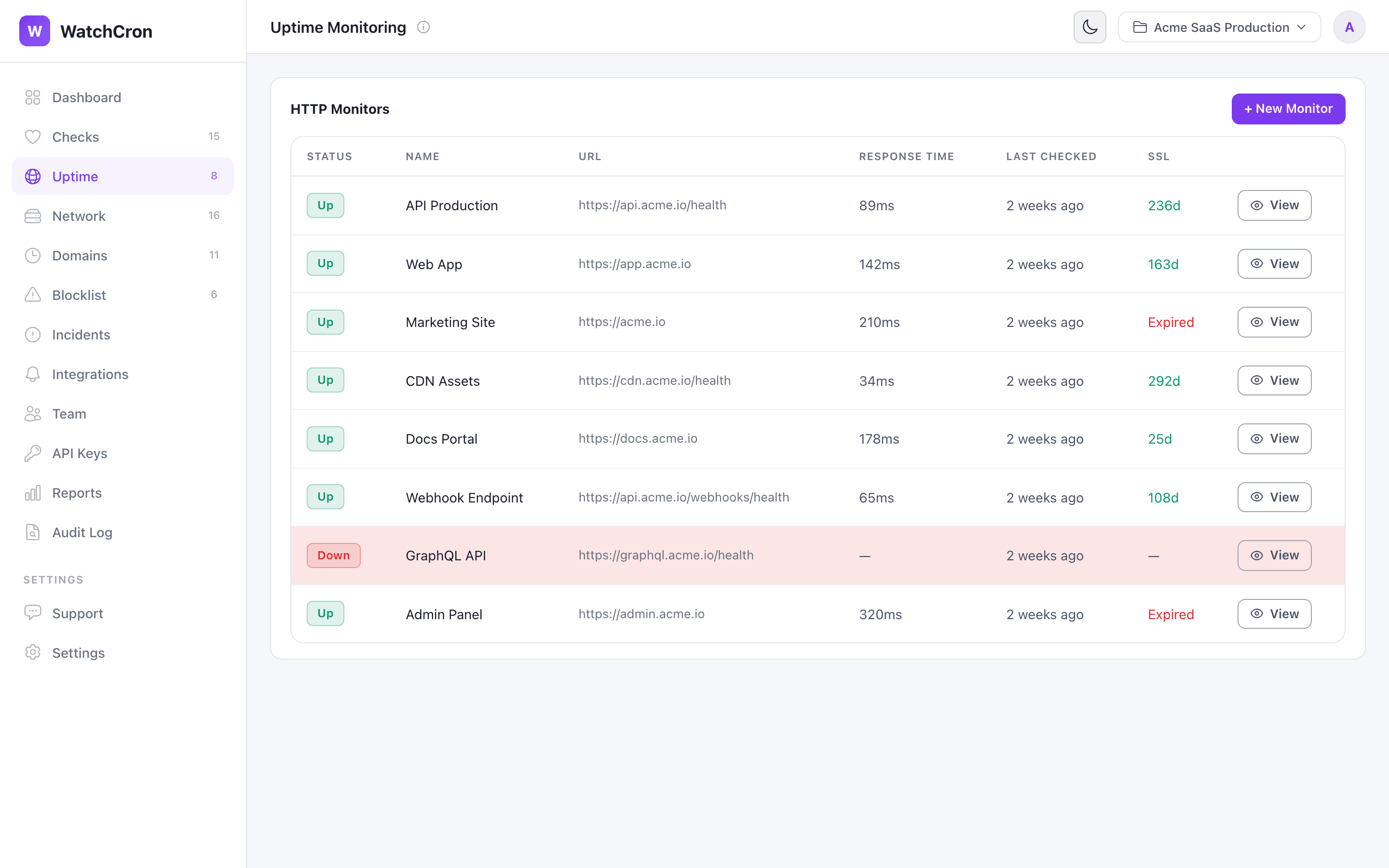
HTTP monitors show real-time status, response time, and SSL certificate expiry at a glance.
Creating an HTTP monitor
Go to Uptime in the sidebar and click + New Monitor. Configure:
| Field | Description |
|---|---|
| URL | The full URL to check, e.g. https://api.example.com/health |
| HTTP Method | GET (default), POST, PUT, HEAD, or DELETE |
| Expected Status | The HTTP status code that means "healthy" (default: 200) |
| Check Interval | How often to check: 30s, 1m, 5m, 10m, 30m, or 1h |
| Timeout | Max wait time before marking as down (default: 10s) |
| Keyword Check | Verify the response body contains (or doesn't contain) a specific string |
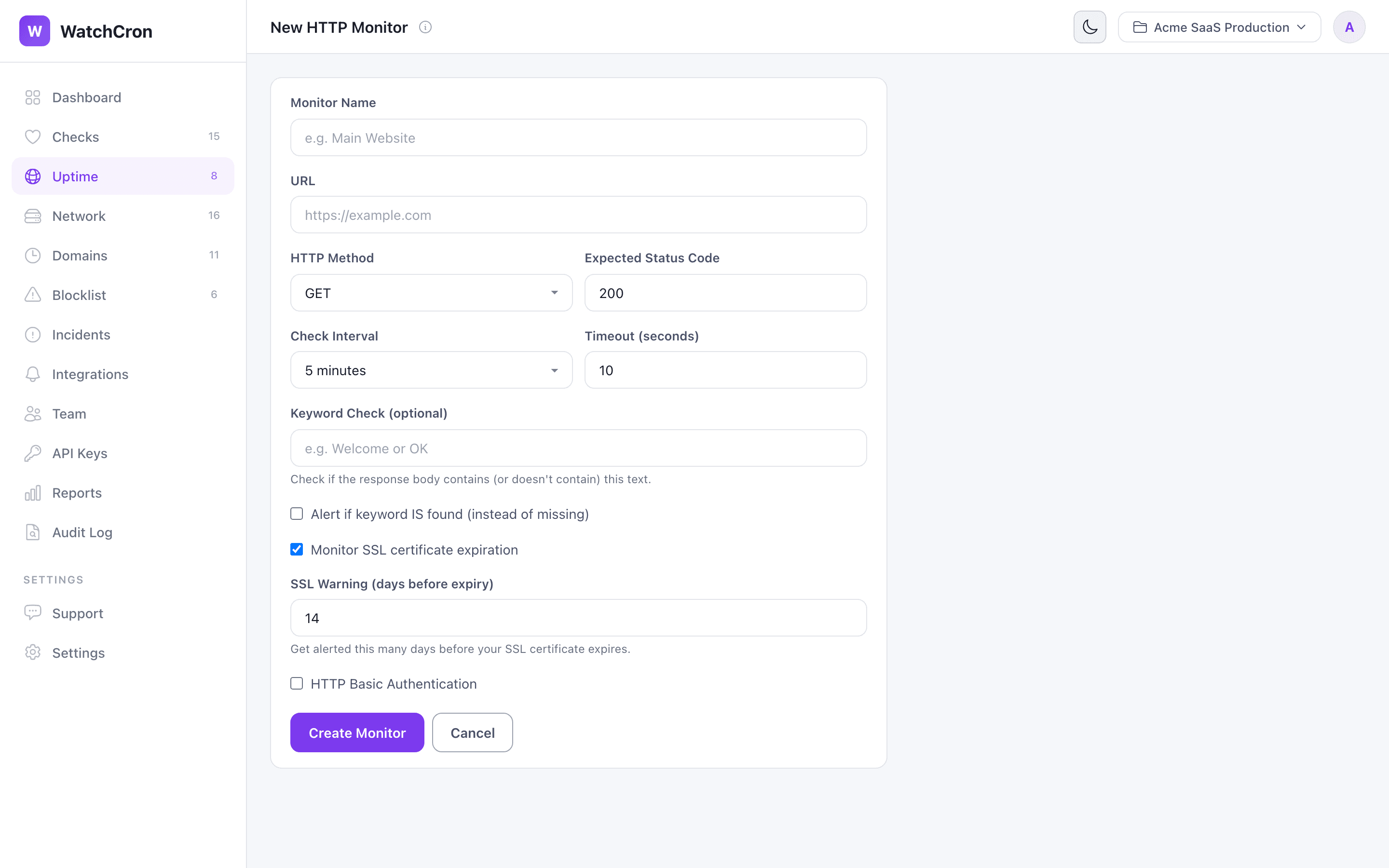
Configure URL, method, expected status, check interval, keyword check, and SSL monitoring.
What gets monitored
For each check, WatchCron records:
- Response time — plotted on a chart so you can spot performance degradation
- Status code — compared against your expected code
- SSL certificate — expiry date and days remaining (optional)
- Uptime percentage — calculated over the last 30 days
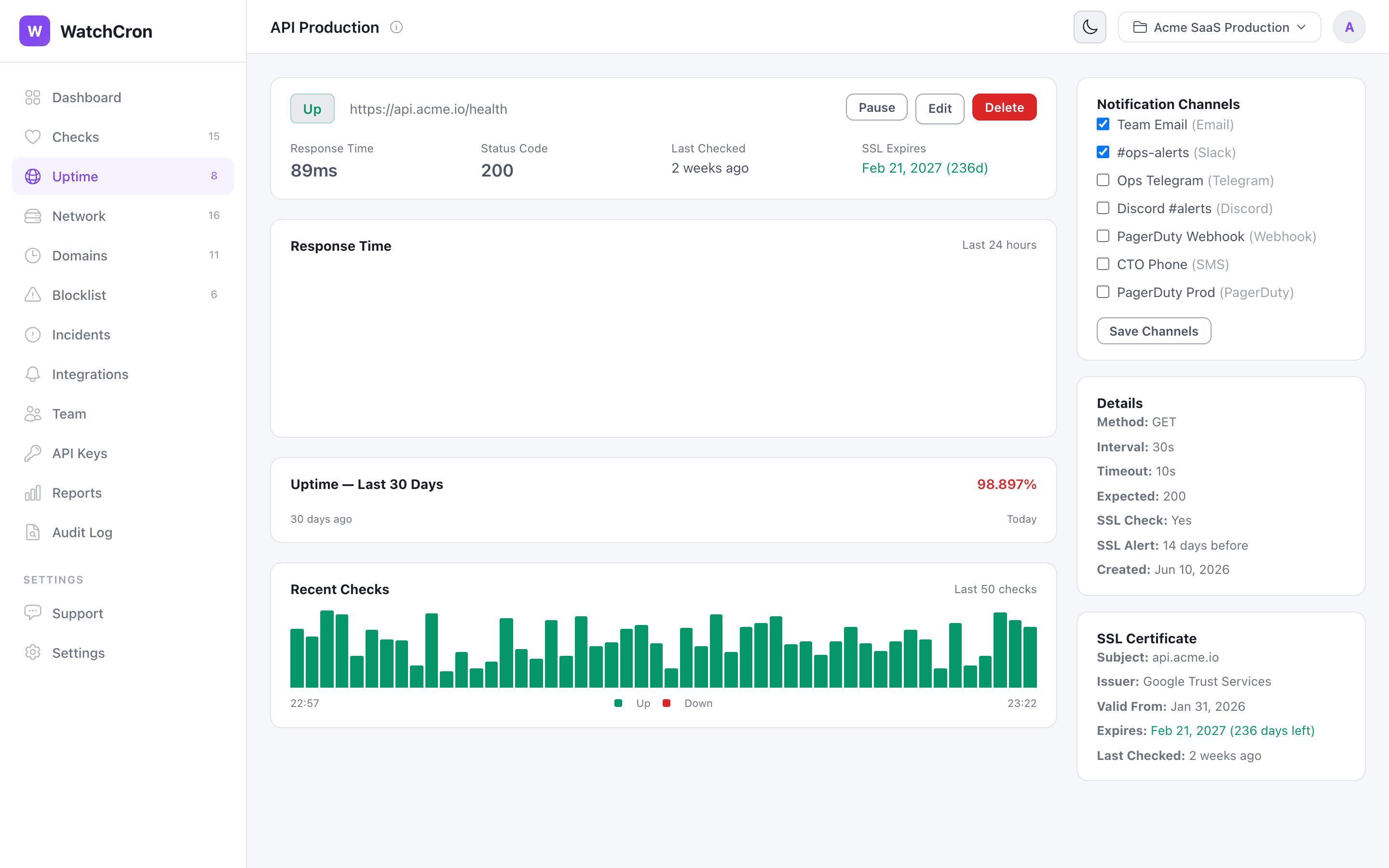
Each monitor shows response time trends, uptime percentage, recent checks, and SSL certificate details.
SSL certificate monitoring
When Monitor SSL certificate expiration is enabled, WatchCron tracks your SSL certificate and alerts you a configurable number of days before it expires (default: 14 days). The SSL status is shown directly in the monitors list.
SSL monitoring is bundled with every HTTP monitor at no extra cost. You don't need a separate check for it.
HTTP Basic Authentication
If your endpoint requires authentication, enable HTTP Basic Authentication and enter your username and password. Credentials are stored encrypted and sent with each check request.