
Healthchecks.io does one thing and does it well: it watches your cron jobs and pings you when they stop. It's open source, self-hostable, and one of the most affordable monitoring tools around. WatchCron does cron monitoring too, but wraps it in a broader platform with uptime, port, SSL, domain, and blocklist checks built in. The question is whether you need just the cron piece or the whole stack.
What each tool actually does
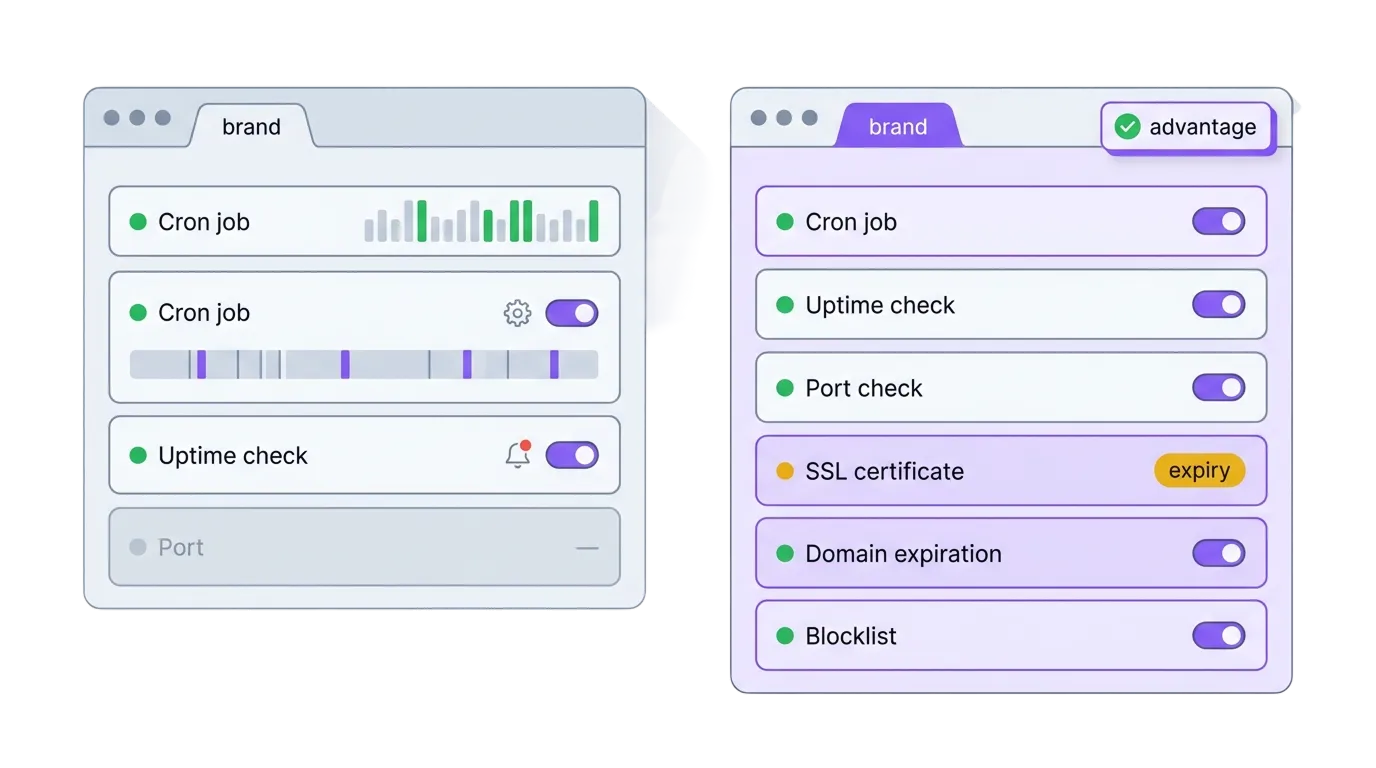
Healthchecks.io is a cron job monitor. You get a unique ping URL, your job hits it on success, and if a ping doesn't arrive within the expected window, you get notified. That's the entire product. There's no uptime monitoring, no SSL certificate tracking, no port checks, no status pages.
WatchCron started the same way, as a heartbeat monitoring service, and expanded to cover six monitoring types plus status pages and incident management. The cron monitoring works identically: ping URLs, grace periods, cron expressions. But you can also set up HTTP uptime checks, port monitors, SSL expiry alerts, domain expiration tracking, and blocklist scans, all from the same dashboard.
| Capability | WatchCron | Healthchecks.io |
|---|---|---|
| Cron / heartbeat monitoring | Yes | Yes |
| HTTP / uptime monitoring | Yes | No |
| Port & TCP/UDP/DNS monitoring | Yes | No |
| SSL certificate monitoring | Yes | No |
| Domain expiration monitoring | Yes | No |
| Blocklist / DNSBL monitoring | Yes | No |
| Public status pages | Yes | No |
| Incident management | Yes | No |
| Open source / self-hostable | No | Yes (BSD license) |
| Notification channels | 10 | 25+ |
| Status badges | Yes (SVG) | Yes (SVG, JSON, Shields) |
| Cron expression support | Yes | Yes (+ systemd OnCalendar) |
| Ping body logging | Yes | Yes (optional S3 storage) |
| Maintenance windows | Yes (per check, day/time ranges) | No |
| Alert acknowledgement from email | Yes (one-click, no login) | No |
| REST API | Yes (v1) | Yes (v3) |
| PDF / CSV reports | Yes | Monthly email summaries only |
| Team roles | Admin, member, read-only | Project-level access (read-only option) |
| Two-factor authentication | Yes (TOTP) | Yes (WebAuthn) |
| Prometheus endpoint | No | Yes |
Where Healthchecks.io wins
The open-source angle is real and it matters. Healthchecks.io is fully open source under a BSD license, written in Python and Django. You can clone the repo, spin it up in Docker, and run the entire platform on your own infrastructure. For organizations with compliance requirements that forbid sending monitoring data to third parties (healthcare, government, certain financial services), this is a genuine requirement, not a preference. WatchCron is cloud-only.
Integration count is another strong point. Healthchecks.io supports over 10 notification channels, including some niche ones: Signal, Matrix, Gotify, Mattermost, Zulip, Trello (creates a card when a check fails), and even GitHub Issues. WatchCron covers the mainstream channels well (Slack, Telegram, Discord, Teams, SMS, voice, PagerDuty, OpsGenie), but if your team communicates through Matrix or needs Trello-card automation on failure, Healthchecks.io has you covered out of the box.
Then there's cost. Healthchecks.io's free tier gives you 20 checks with unlimited team members. The paid Business plan is $20/month for , still with unlimited team members. That's hard to beat on raw per-check pricing, especially for a team that only needs cron monitoring and nothing else. They also waive the fee entirely for open-source projects and nonprofits.
Pēteris Caune has run Healthchecks.io solo for nine years. It's a stable, proven product. There's a legitimate argument that a focused tool does its one job more reliably than a platform that tries to cover everything.
Where WatchCron goes further
The scope difference is the obvious one. A web application in production has more than one failure mode. The site can go down, a certificate can expire, a domain can lapse, a database port can stop accepting connections, your sending IP can land , and a cron job can fail silently. Healthchecks.io covers that last one. WatchCron covers all of them from a single dashboard, with the same notification channels and the same team permissions.
The practical payoff: instead of stitching together Healthchecks.io for cron + UptimeRobot for uptime + a separate SSL checker + a calendar reminder for domain renewals, one WatchCron project handles the full stack. Alerts go through the same channels, team access is managed in one place, and reports cover every monitor type in a single PDF.
Status pages and incident management are the second gap. When something breaks, you need a way : post an incident, track it through investigating/identified/monitoring/resolved, and notify subscribers. Healthchecks.io has no concept of incidents or public status. WatchCron includes both, tied to the same project where your monitors live.
Two workflow features Healthchecks.io doesn't have. Maintenance windows let you define recurring time ranges per check where missed pings don't , useful when a deploy or database migration takes a cron job offline for a known window. Healthchecks.io has no equivalent; your options are to pause the check manually and remember to unpause it, or accept the false alerts. Second, every Down notification WatchCron sends includes a one-click acknowledgement link. Clicking it suppresses repeat notifications for 24 hours . This matters at 3 AM when you want to confirm you've seen the alert without pulling up a dashboard.
Reporting matters too, especially for agencies or teams that need to prove uptime to clients. WatchCron generates uptime reports across 7-, 30-, and 90-day windows, exportable as PDF or CSV, shareable via public links. Healthchecks.io sends a monthly summary email, useful but not something you can hand to a client or reference in an SLA conversation.
Self-hosted freedom vs. managed convenience
The self-hosting option deserves a closer look because it's not just a checkbox on a . It changes the entire cost and control equation. Running your own Healthchecks.io instance means zero monthly fees, full data sovereignty, and the ability to customize the code. For a hospital system that can't send monitoring pings to a third-party server, or a government contractor bound by data residency rules, self-hosting isn't a preference — it's a compliance requirement.
The trade-off is maintenance. You own the Docker deployment, the database backups, the security patches, the TLS certificates on the monitoring tool itself. If your Healthchecks.io instance goes down at 3 AM, . Because the thing that would page you is the thing that's down. That irony is real, and it's why many teams that start self-hosted eventually move to a managed service once the monitoring stack becomes critical infrastructure.
WatchCron sidesteps this entirely. It's managed, always on, and we handle the uptime of the monitoring platform so you don't have to. But if regulatory compliance genuinely requires self-hosting, that's a valid reason to pick Healthchecks.io for the cron monitoring piece and layer WatchCron on top for everything else.
Pricing: what you pay for what you get
| WatchCron | Healthchecks.io | |
|---|---|---|
| Free tier | 20 cron checks, 1 member, email + webhooks | 20 checks, unlimited members, all integrations |
| Entry paid plan | Starter — $7/mo, 75 checks, 3 members, + Slack/Telegram/Discord/Teams | Business — $20/mo, 100 checks, unlimited members |
| Mid-tier | Pro — $19/mo, 250 checks, 10 members, + SMS | Business Plus — $80/mo, 1,000 checks |
| Monitoring scope | 7 types (cron, HTTP, port, SSL, domain, blocklist, status pages) | 1 type (cron/heartbeat only) |
| Port/domain monitors | Unlimited, don't count against check limits | N/A — not available |
| SMS / voice alerts | SMS from Pro; voice calls from Business | Business: 50 SMS + WhatsApp, 20 phone calls/mo |
| Self-hosting | No | Yes (free, BSD license) |
If you genuinely only need cron monitoring, Healthchecks.io is cheaper and gives you more team members on the free tier. That's the honest answer. Their $20/month plan for 100 checks with unlimited team members is excellent value for pure heartbeat monitoring.
The value calculation shifts when you need more than one monitoring type. Adding UptimeRobot (free for 50 monitors, but limited), an SSL checking service, and a domain expiry tool starts adding up in both cost and management overhead. WatchCron's plan price covers all monitoring types, and port/domain monitors don't count against your check limit on any plan. They're unlimited.
Switching from Healthchecks.io to WatchCron
The migration is about as simple as monitoring migrations get, because both tools work the same way at the protocol level: your job pings a URL, the platform watches for missed pings.
- Create a WatchCron account and project. Sign up free. 20 checks, no card. If you're on Healthchecks.io's free tier, you'll have the same number of checks to start.
- Recreate your checks. For each Healthchecks.io check, create a WatchCron check with the matching cron expression (or period + grace time). Copy the new ping URL.
- Swap the URLs. In each crontab entry, replace the Healthchecks.io URL (
hc-ping.com/...) with the WatchCron URL. One find-and-replace per server. - Set up channels. Configure your notification channels at the project level. If you were using Healthchecks.io's Telegram or Slack integration, WatchCron supports both. The setup takes a minute per channel.
- Add the monitoring types you've been missing. Set up uptime monitors for your websites, SSL checks for your certificates, and domain monitors for your domains. These are the reason you're switching — use them.
Which tool is right for you?
Pick Healthchecks.io if you only monitor cron jobs, you want to self-host, or you need 25+ integrations including niche channels like Signal, Matrix, or Trello. It does cron monitoring well, it's affordable, and the BSD license means you own the deployment.
Pick WatchCron if you need a Healthchecks.io alternative that covers more than just crons (websites, ports, certificates, domains), and you want one dashboard, one set of channels, and one set of reports covering everything. The pricing is flat, status pages and incidents are built in, and you don't need to stitch together three separate tools to cover a standard production setup.
Full-stack monitoring, one dashboard
20 cron checks, uptime monitors, SSL and domain tracking. Free, no credit card. Port and domain monitors are unlimited on every plan.