
Nothing on your server looks wrong. The mail queue is empty, the logs are clean, the site is up, and every other light on the dashboard is green. Meanwhile half your password resets and receipts are dropping straight into spam, because three days ago the IP you send from quietly landed on a blocklist, and nothing on the server was ever going to tell you.
This is the failure a blocklist monitor catches, and it's a different kind of failure from everything else WatchCron watches. A blocklist, also called a blacklist or DNSBL, is a published list of IP addresses that spam filters distrust. Get on one and your mail starts disappearing, with no bounce you'd notice and no error to grep for.
It's about reputation, not whether the server is up
Being listed doesn't mean your server is down or compromised. It means a mailbox provider or spam filter has decided mail from your IP is suspect, and often the reason has little to do with you: a noisy neighbour on a shared host, the previous owner of a recycled IP address, or one compromised account that sent a spam burst before you caught it. The machine keeps running perfectly. The email just stops arriving. That's why this is its own check rather than a footnote to uptime: an availability monitor tells you whether the server is reachable, and a blocklist tells you whether the internet still trusts what it sends.
How a blocklist check actually works
The mechanism is the long-standing DNSBL protocol, and WatchCron runs it directly with ordinary DNS queries, no third-party reputation API in between. Give it an IP, or a domain that it resolves to an IP first, and it reverses the address octet by octet, so 93.184.216.34 becomes 34.216.184.93, then asks each list a DNS question: does 34.216.184.93.zen.spamhaus.org resolve to a record? An answer means the IP is listed there, and silence means it's clean. It puts that question to twelve lists on every run and records which ones, if any, answered.
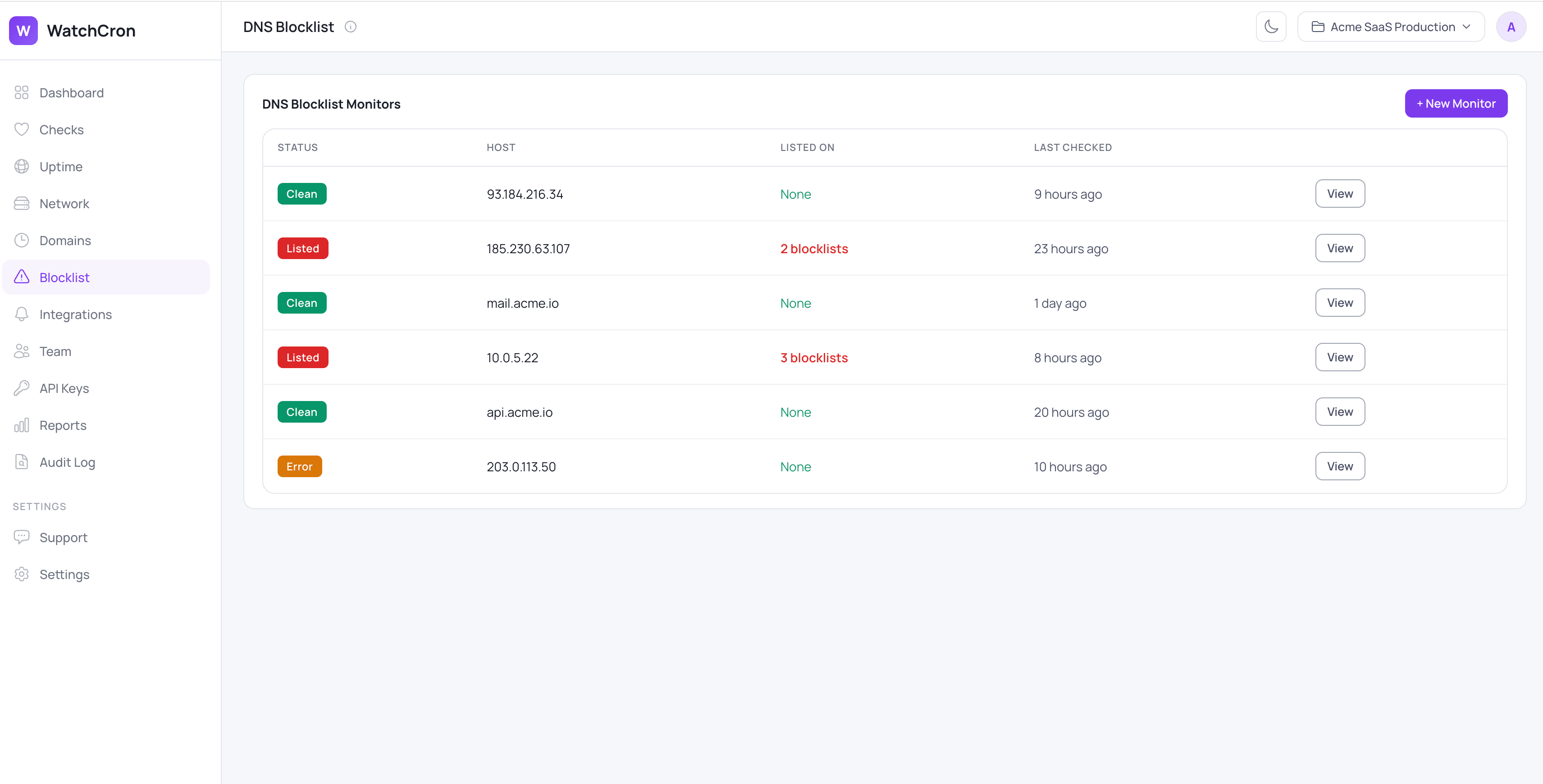
Every IP and mail host you send from sits in one view, with a plain Clean or Listed badge and a count of how many lists each one is on, so a server that has started leaking reputation is different before the support tickets do.
The twelve lists it watches
These are the lists that actually move email deliverability, led by Spamhaus, whose Zen list most large mailbox providers consult directly:
Blocklist | What it flags |
|---|---|
| Spamhaus Zen, the most-consulted list (spam sources, exploited hosts, dynamic IPs) |
| SpamCop, driven by user spam reports |
| Barracuda's reputation list |
| SORBS, open relays and proxies |
| SORBS spam sources |
| SORBS dynamic and residential IPs |
| UCEPROTECT Level 1, individual IPs |
| CBL, botnet and infected hosts |
| Spamrats dynamic IPs |
| Spamrats confirmed spam sources |
| s5h aggregate spam list |
| InterServer's provider list |
The set is fixed, so you can't point it at a private or niche list, but it covers the ones the major inbox providers actually defer to.
Listed, clean, and the history in between
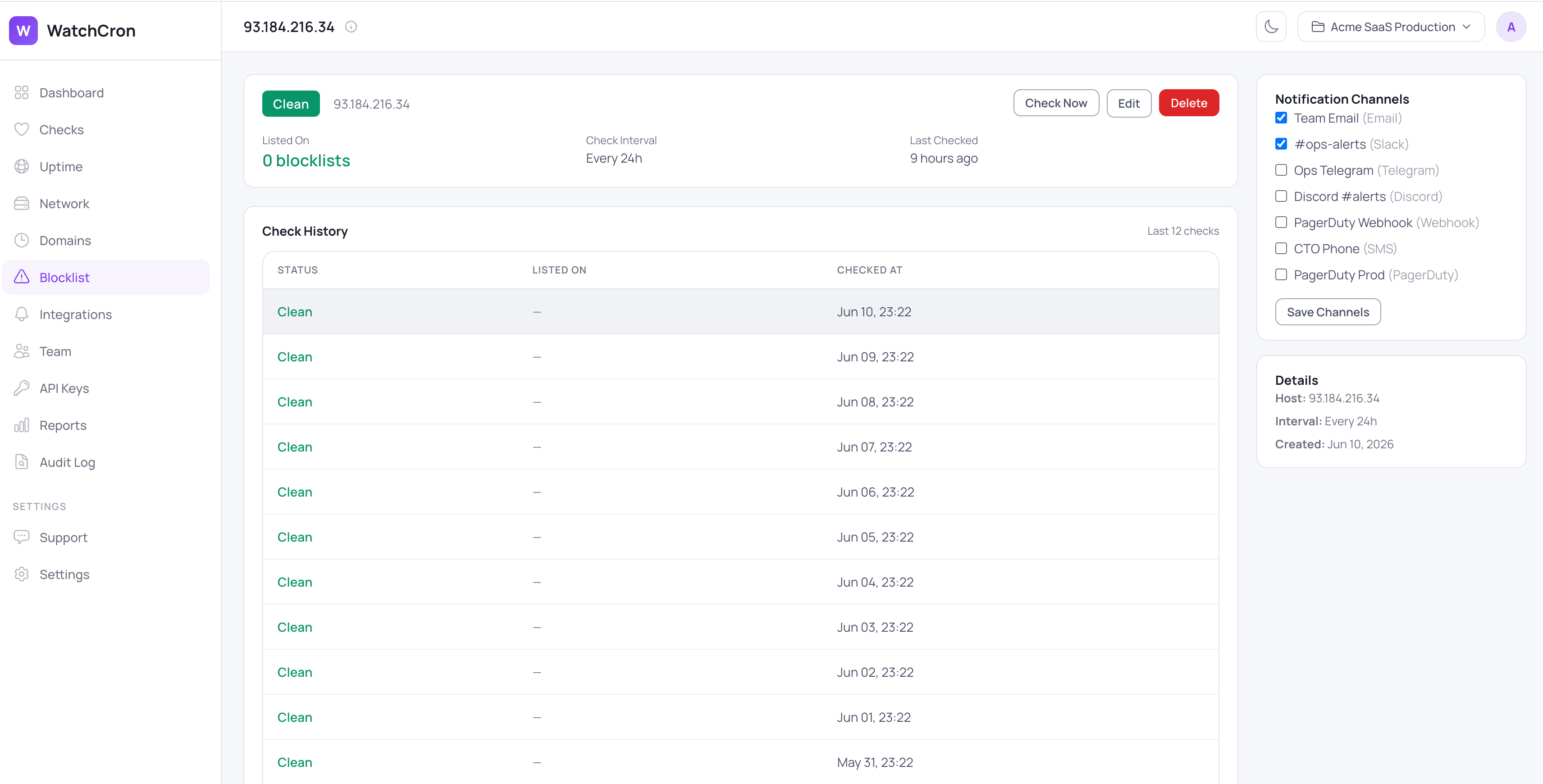
A monitor reads as Clean, Listed, Error, or New. When one of yours is listed, the detail page shows exactly which blocklists flagged it, which is the first thing you need before you can ask to be removed. Two alerts fire on the way through: one the moment an IP becomes listed, naming the lists it's on, and a second when it clears all of them, so you know a delisting actually took. Both send only on the change, through the channels that monitor uses, with email and webhooks on every plan including the free one, Slack, Telegram, Discord, and Microsoft Teams from Starter, SMS on Pro, and phone-call, PagerDuty, and OpsGenie on Business. Every check is logged, so you can tell a spotless IP from one with a habit of bouncing on and off a list, and you set the interval anywhere from hourly to weekly, with a Check Now button for the moment right after you've requested removal and want to confirm it.
What it doesn't do
The check is scoped to IPv4 reputation, and its edges follow from that. It doesn't support IPv6, because the reverse-lookup scheme DNSBLs use is built around IPv4 addresses. It checks IP-based blocklists, not the domain- and URL-based families (URIBL and SURBL) that judge the links inside a message rather than the sending IP. The twelve lists are fixed. It tells you that an IP is listed and on which lists, not why it was listed or what type of listing it is, since that detail lives on each blocklist's own site. A domain is resolved to a single IP for the check, so a hostname with several A records is judged on the first. And it stops at telling you: the delisting itself is a manual request you make on each blocklist, which WatchCron reports on but doesn't automate.
It sits in the same dashboard as your uptime and cron job monitoring, so the IP reputation that decides whether your email arrives lives next to the checks that decide whether your site answers.
Find out before your customers
Watch every IP you send from against twelve blocklists and hear about a listing the day it happens, not the week sales asks why nobody's replying. The free plan covers it with email and webhook alerts, and blocklist monitors never count against your check limit.