
Cronitor started as a cron monitoring tool and grew into a broader platform covering uptime checks, status pages, and even real user monitoring. WatchCron covers a different set of monitoring types, including port, domain expiration, and blocklist checks that Cronitor doesn't offer, with flat, predictable pricing. If you're evaluating a Cronitor alternative, or just comparing options, this page lays out the differences so you can pick the right fit.
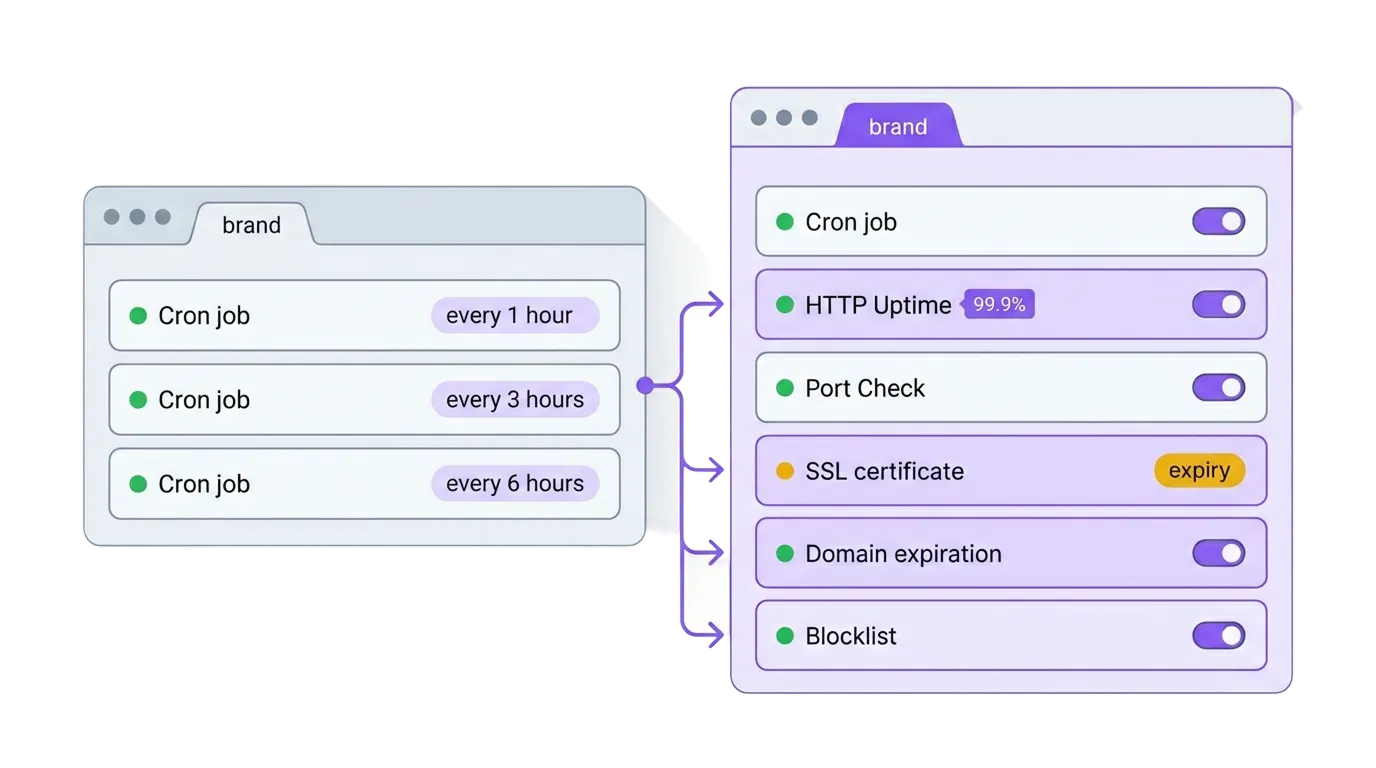
Side-by-side feature comparison
| Capability | WatchCron | Cronitor |
|---|---|---|
| Cron / heartbeat monitoring | Yes | Yes |
| HTTP / uptime monitoring | Yes | Yes |
| Port & TCP/UDP/DNS monitoring | Yes (dedicated) | TCP within uptime only |
| SSL certificate monitoring | Built into HTTP monitors | Built into uptime checks |
| Domain expiration monitoring | Yes (WHOIS-based) | No |
| Blocklist / DNSBL monitoring | Yes | No |
| Public status pages | Yes | Yes |
| Incident management | Yes (standalone) | Status-page incidents only |
| Real user monitoring (RUM) | No | Yes |
| Notification channels | 10 (email, Slack, Telegram, Discord, Teams, SMS, voice, webhooks, PagerDuty, OpsGenie) | 12+ (email, Slack, Telegram, Discord, Teams, SMS, webhooks, PagerDuty, OpsGenie, Google Chat, Lark, Splunk On-Call) |
| Voice call alerts | Yes (native, Business plan) | No (only through PagerDuty escalation) |
| Maintenance windows | Yes (per check, day/time ranges) | No |
| Alert acknowledgement from email | Yes (one-click, no login) | No |
| CLI tool with auto-discovery | No | Yes |
| SDKs | No (API + curl) | Python, Node.js, Ruby, PHP |
| PDF & CSV reports | Yes | No |
| API & status badges | Yes | Yes |
| Team roles (admin/member/read-only) | Yes | Yes |
| Two-factor authentication | Yes (TOTP) | Yes |
Where Cronitor is the stronger choice
If your team lives in the terminal and you want monitoring wired into your deployment pipeline, Cronitor has a clear edge. Their CLI auto-discovers every job in your crontab, syncs them to the dashboard, and even lets you trigger runs from the command line. That's something WatchCron doesn't have — our cron monitoring uses the same ping-based model, but setup means creating checks manually or through the REST API.
Combined with SDKs for Python, Node.js, Ruby, and PHP, Cronitor lets you instrument a job in two lines of code without touching curl or managing ping URLs directly.
Cronitor also offers Real User Monitoring, a lightweight, cookie-free analytics product that tracks page views, Core Web Vitals, and JavaScript errors. WatchCron doesn't do this. If you want frontend performance data and cron monitoring under one roof, that's a genuine differentiator.
On check frequency, Cronitor's Business plan goes down to 30-second intervals, and Enterprise reaches 5 seconds. Their uptime checks run from 12+ locations across five continents, which gives broader geographic coverage. And they own crontab.guru, arguably the most well-known cron expression tool on the internet. It's not a monitoring feature per se, but it speaks to how embedded they are in the cron ecosystem.
Where WatchCron covers ground Cronitor doesn't
The biggest gap in Cronitor's lineup is everything beyond HTTP and heartbeat checks. There's no domain . Your domain renewal reminder is whatever email your registrar sends, and those get lost. There's no blocklist monitoring, so you won't know your mail server IP landed on a DNSBL until deliverability craters. And while Cronitor supports basic TCP checks inside their uptime product, there's no dedicated port monitoring with protocol-level support for UDP, DNS record validation, and ICMP.
WatchCron treats these as first-class monitor types. Domain expiration checks pull WHOIS data and alert you weeks before a domain lapses. Blocklist monitoring scans multiple DNSBLs on a schedule. Port monitors validate not just "is the port open" but whether a DNS record resolves to the expected value or whether an ICMP ping responds within your threshold.
Incident management is another divergence. Cronitor ties incidents directly to status page components. You can post an update, but there's no standalone incident workflow. WatchCron's incident management runs independently: you create incidents, post timestamped updates (investigating, identified, monitoring, resolved), and notify status page subscribers by email. It works whether or not you use a public status page.
Two smaller but operationally meaningful differences worth calling out. Maintenance windows let you define recurring time ranges (say, 02:00–04:00 on Sunday nights) where missed check-ins don't trigger alerts. Cronitor doesn't have per-check maintenance windows. And every Down or Fail alert WatchCron sends includes a one-click acknowledgement link: the on-call engineer clicks it, repeat notifications stop for 24 hours, no login required. Cronitor doesn't include an out-of-band acknowledgement mechanism in the notification itself.
For reporting, WatchCron generates uptime reports with PDF and CSV exports, shareable via public links. Cronitor doesn't offer . You get dashboards but no artifact to hand to a client or attach to an SLA review.
Notification channels and how alerts actually reach you
Both platforms cover the : Slack, Discord, Microsoft Teams, PagerDuty, OpsGenie, email, webhooks. Cronitor edges ahead on raw count with 12+ integrations including Google Chat, Lark, and Splunk On-Call. WatchCron supports 10 channels but includes two that Cronitor doesn't offer natively: voice call alerts (Business plan) and Telegram. If your on-call team (common in Europe and the CIS region), WatchCron supports it out of the box, while on Cronitor you'd need to route through a webhook.
The bigger difference is SMS and voice billing. Cronitor includes SMS on paid plans at no extra cost, which is straightforward. WatchCron bundles SMS from Pro ($19/month) and adds native voice calls on Business ($49/month), something Cronitor doesn't do at all. If you want a phone call at 3 AM when a critical job fails, Cronitor routes through PagerDuty escalation; WatchCron calls you directly.
Pricing: per-unit vs. flat plans
This is where the two products diverge most sharply. Cronitor prices per monitor and per seat. WatchCron uses flat plans with bundled limits.
| WatchCron | Cronitor | |
|---|---|---|
| Free tier | 20 cron checks, 1 member, email + webhooks | Hacker — 5 monitors, 1 user, email + Slack only |
| Paid (self-serve) | Starter $7 · Pro $19 · Business $49 — flat plans with bundled checks and members | Business — $2/monitor/mo + $5/extra user/mo, no base fee, pay-as-you-go) |
| Enterprise | — | From $6,000/yr |
| Port/domain monitors | Unlimited on every plan (don't count against check limits) | Count as monitors, billed per unit |
| Per-seat cost | None (members included per plan) | $5/user/month (1 user included free) |
| SMS/voice billing | Flat (included in plan price) | SMS included on paid plans; no native voice |
The practical difference shows up fast when a team grows. On Cronitor's Business plan, a team of 10 with 100 monitors pays $200 in monitors (100 × $2) plus $45 in extra seats (9 × $5, one user included) = $245/month. On WatchCron's Pro plan, 10 members and 250 checks are included for $19/month — no per-unit math.
WatchCron's port and domain monitors are unlimited and free on every plan, including the free tier. On Cronitor, every TCP check counts against your monitor allotment the same way a cron job does.
Cronitor's pricing is transparent for the self-serve Business tier: pure pay-as-you-go with no base fee. Enterprise pricing starts at $6,000/year and requires a custom quote. The figures above are based on Cronitor's public pricing page as of June 2026.
What the numbers look like for real teams
Cronitor's per-monitor pricing sounds simple until you run the math for a growing team. Say you're running 50 monitors across two projects (cron jobs, uptime checks, and a few TCP monitors) with a five-person engineering team. On Cronitor Business: 50 monitors × $2 = $100, plus 4 extra seats × $5 = $20, totaling $120/month. Add another 50 monitors next quarter and it jumps to $220.
On WatchCron, the same setup fits comfortably in the Pro plan: 250 checks, 10 members, SMS alerts, $19/month flat. Double your monitors and you're still under the limit. The port and domain monitors your ops team adds for DNS validation and mail server health don't count against that 250 either: they're unlimited on every plan, including the free tier.
Where Cronitor's model works better is for very small setups. A solo developer with 5 monitors pays nothing on Cronitor's Hacker plan, compared to WatchCron's free tier of 20 checks. But the moment you add a second team member or push past basic cron monitoring, the per-unit math starts compounding.
Switching from Cronitor to WatchCron
Cronitor and WatchCron both use the same underlying model for cron monitoring: your job pings a unique URL, and the platform alerts you when it stops. That means migration is straightforward for the core use case.
- Sign up and create a project. Create your WatchCron account. The free plan gives you 20 cron checks to start, no card required.
- Recreate your cron checks. For each Cronitor monitor, create a WatchCron check with the same schedule (cron expression or simple period), grace period, and timezone. Copy the new ping URL.
- Update your crontab. Replace each Cronitor ping URL (
cronitor.link/...) with your WatchCron ping URL. If you're using Cronitor's CLI wrapper, switch to a plain curl call. It's one line:curl -fsS -m 10 https://watchcron.com/ping/YOUR_UUID - Set up notification channels. Configure Slack, email, or whichever channels your team uses. Channels are project-wide, so you set them once and every monitor inherits them.
- Add monitors Cronitor doesn't cover. If you've been tracking SSL expirations or domain renewals in a spreadsheet, set up SSL and domain monitors: they're included in every plan at no extra cost.
The whole process usually takes under an hour for a typical setup of 10-30 monitors. The hardest part is updating crontab lines on each server, not configuring WatchCron itself.
Start monitoring in under two minutes
20 cron checks, email and webhook alerts, uptime reports. Free, no credit card. Upgrade when your team needs Slack, SMS, or more checks.