Getting Started
WatchCron monitors your cron jobs and scheduled tasks using a Dead Man's Switch pattern. Your job pings a unique URL on each run. If a ping is missed, WatchCron alerts you immediately through your configured notification channels.
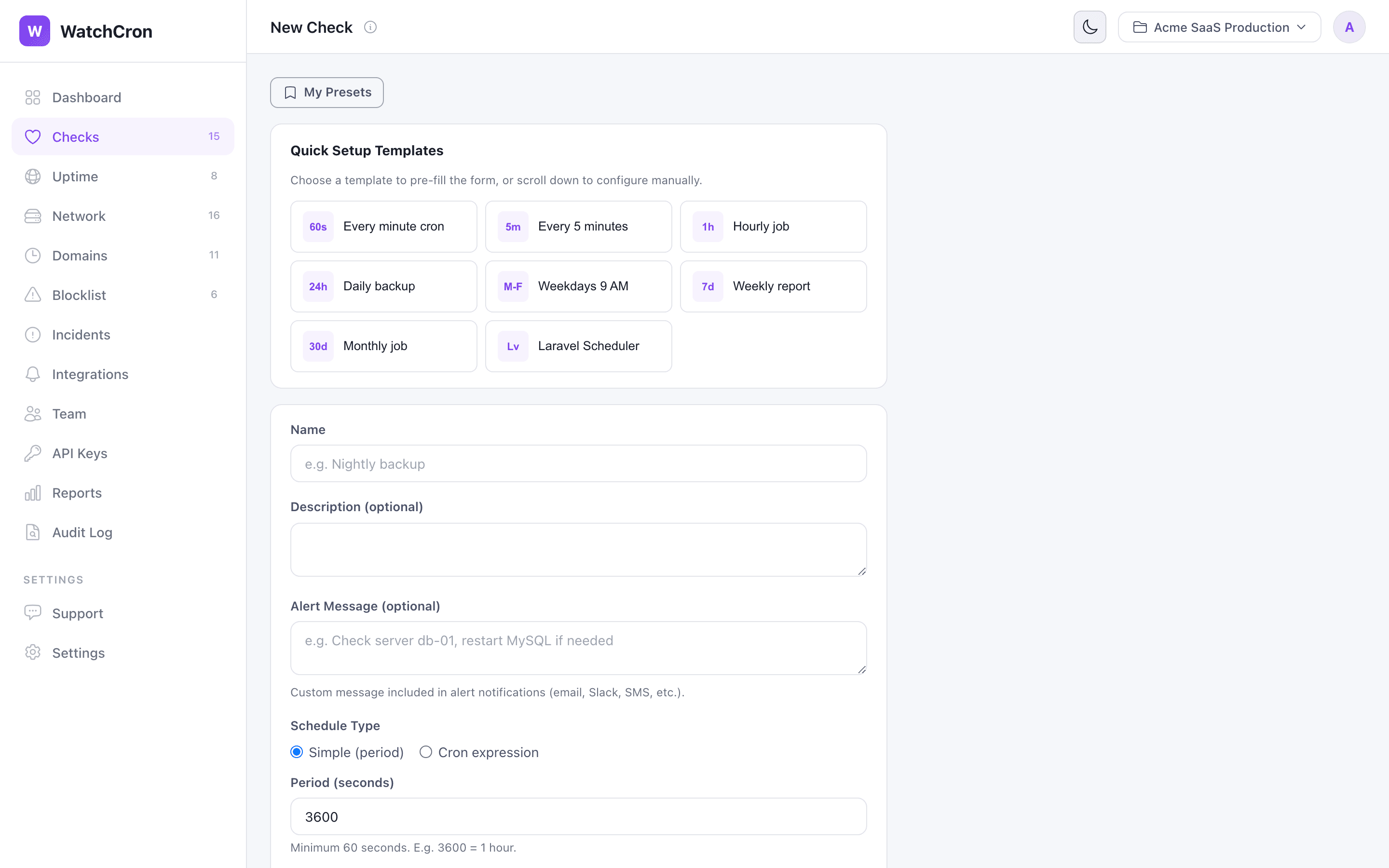
Setting up monitoring takes less than a minute:
0 2 * * * or a simple period like "every 5 minutes".
https://watchcron.com/ping/your-uuid-here
How It Works
WatchCron uses a reverse monitoring approach — instead of actively polling your servers, your jobs report in by sending HTTP pings. This is simpler to set up and works through firewalls without opening any ports.
Check lifecycle
Every check cycles through the following statuses:
| Status | Meaning |
|---|---|
| New | Check was just created and hasn't received a ping yet. No alerts are sent in this state. |
| Up | Pings are arriving on schedule. Everything is working. |
| Grace | A ping is overdue, but the grace period hasn't expired yet. No alert is sent — this accounts for normal timing variance. |
| Down | The grace period has expired without a ping, or a /fail signal was received. Notifications are sent. |
| Paused | Monitoring is manually paused. No alerts, no tracking. Useful during deployments or maintenance windows. |
Schedule types
When creating a check, choose one of two schedule types:
- Cron expression — Use standard crontab syntax (e.g.,
*/5 * * * *for every 5 minutes,0 2 * * *for daily at 2 AM). WatchCron calculates the next expected ping automatically based on the expression and timezone. - Period — Set a simple interval in seconds (e.g., 300 for every 5 minutes, 3600 for hourly). The expected next ping is calculated from the last received ping.
Grace period
The grace period is a buffer that prevents false alerts caused by minor timing differences. For example, a cron job scheduled at */5 * * * * might actually fire a few seconds late due to system load. A grace period of 60 seconds accommodates this.
Ping URL
Every check has a unique UUID-based ping URL. You can send pings using any HTTP method (GET, POST, or HEAD). The response is always a simple OK with a 200 status code.
https://watchcron.com/ping/{uuid}
You can include a request body (up to 100 KB) with POST requests. The body is stored as part of the ping log, which is useful for debugging — you can send output, error messages, or any diagnostic data.
curl -fsS -X POST \ --data-raw "Processed 1,423 records in 12s" \ https://watchcron.com/ping/your-uuid
--retry 3 with curl to automatically retry.
Signal Types
WatchCron supports three signal types for fine-grained monitoring. Using all three gives you the best visibility into your job's behavior:
| Endpoint | Signal | Description |
|---|---|---|
/ping/{uuid} |
success | Default signal. Reports that the job completed successfully. This is the only required signal — everything else is optional. |
/ping/{uuid}/start |
start | Reports that the job has started. Enables run duration tracking in the dashboard. Helps distinguish between "job didn't start" and "job started but got stuck". |
/ping/{uuid}/fail |
fail | Reports an explicit failure. Triggers immediate notification without waiting for the grace period to expire. Use this in your error handling or catch blocks. |
Recommended pattern
For maximum reliability, use all three signals:
# 1. Signal start — job is beginning curl -fsS https://watchcron.com/ping/your-uuid/start # 2. Run your actual task /usr/local/bin/my-task.sh # 3. Signal success or failure based on exit code if [ $? -eq 0 ]; then curl -fsS https://watchcron.com/ping/your-uuid else curl -fsS https://watchcron.com/ping/your-uuid/fail fi
Crontab Integration
The simplest way to monitor cron jobs is appending a curl call to your crontab entry.
# m h dom mon dow command */5 * * * * /path/to/job.sh && curl -fsS --retry 3 https://watchcron.com/ping/your-uuid
-f fails silently on HTTP errors, -s suppresses the progress bar, -S still shows errors when -s is used, and --retry 3 retries up to 3 times on transient failures.
Using && ensures the ping is only sent if the job exits with code 0 (success). If the job fails, the ping is skipped and WatchCron will flag the check as "down" after the grace period.
*/5 * * * * curl -fsS https://watchcron.com/ping/your-uuid/start && /path/to/job.sh && curl -fsS https://watchcron.com/ping/your-uuid
*/5 * * * * /path/to/job.sh && curl -fsS https://watchcron.com/ping/your-uuid || curl -fsS https://watchcron.com/ping/your-uuid/fail
*/5 * * * * OUT=$(/path/to/job.sh 2>&1); curl -fsS --data-raw "$OUT" https://watchcron.com/ping/your-uuid
Bash Scripts
Add ping calls directly in your shell scripts for more control over error handling:
#!/bin/bash set -e PING_URL="https://watchcron.com/ping/your-uuid" # Signal start curl -fsS --retry 3 "$PING_URL/start" # Your actual work /usr/bin/backup-database.sh /usr/bin/cleanup-logs.sh # Signal success curl -fsS --retry 3 "$PING_URL"
#!/bin/bash PING_URL="https://watchcron.com/ping/your-uuid" # Send failure signal on any error trap 'curl -fsS "$PING_URL/fail"' ERR curl -fsS "$PING_URL/start" # If any command below fails, the trap fires automatically /usr/bin/backup-database.sh /usr/bin/upload-to-s3.sh /usr/bin/cleanup-temp.sh curl -fsS "$PING_URL"
trap ... ERR automatically sends a fail signal if any command in the script exits with a non-zero code. This is more robust than manually checking each step.
PHP
Send pings from PHP scripts using file_get_contents for simplicity or cURL for more control:
<?php $pingUrl = 'https://watchcron.com/ping/your-uuid'; // Your work here processData(); // Ping on success file_get_contents($pingUrl);
<?php function ping(string $url): void { $ch = curl_init($url); curl_setopt($ch, CURLOPT_RETURNTRANSFER, true); curl_setopt($ch, CURLOPT_TIMEOUT, 10); curl_exec($ch); curl_close($ch); } $pingUrl = 'https://watchcron.com/ping/your-uuid'; ping("$pingUrl/start"); try { processData(); ping($pingUrl); } catch (Exception $e) { ping("$pingUrl/fail"); throw $e; }
<?php use GuzzleHttp\Client; $client = new Client(['timeout' => 10]); $pingUrl = 'https://watchcron.com/ping/your-uuid'; $client->get("$pingUrl/start"); try { processOrders(); $client->get($pingUrl); } catch (Throwable $e) { $client->post("$pingUrl/fail", [ 'body' => $e->getMessage() ]); throw $e; }
Python
import requests PING_URL = "https://watchcron.com/ping/your-uuid" # Signal start requests.get(f"{PING_URL}/start", timeout=10) try: # Your work here run_backup() # Signal success requests.get(PING_URL, timeout=10) except Exception as e: # Signal failure with error message requests.post(f"{PING_URL}/fail", data=str(e), timeout=10) raise
import urllib.request PING_URL = "https://watchcron.com/ping/your-uuid" urllib.request.urlopen(PING_URL, timeout=10)
import functools, requests def monitor(ping_url): def decorator(func): @functools.wraps(func) def wrapper(*args, **kwargs): requests.get(f"{ping_url}/start", timeout=10) try: result = func(*args, **kwargs) requests.get(ping_url, timeout=10) return result except Exception: requests.get(f"{ping_url}/fail", timeout=10) raise return wrapper return decorator @monitor("https://watchcron.com/ping/your-uuid") def nightly_backup(): # Your logic here ...
Node.js
const PING_URL = "https://watchcron.com/ping/your-uuid"; await fetch(`${PING_URL}/start`); try { await runMyTask(); await fetch(PING_URL); } catch (err) { await fetch(`${PING_URL}/fail`, { method: "POST", body: err.message }); throw err; }
const https = require('https'); function ping(url) { return new Promise((resolve) => { https.get(url, resolve).on('error', resolve); }); } const PING_URL = "https://watchcron.com/ping/your-uuid"; await ping(`${PING_URL}/start`); await runMyTask(); await ping(PING_URL);
Ruby
require 'net/http' require 'uri' PING_URL = "https://watchcron.com/ping/your-uuid" def ping(url) Net::HTTP.get(URI(url)) rescue => e $stderr.puts "Ping failed: #{e.message}" end ping("#{PING_URL}/start") begin run_backup ping(PING_URL) rescue => e ping("#{PING_URL}/fail") raise end
task :cleanup do ping("https://watchcron.com/ping/your-uuid/start") ActiveRecord::Base.connection.execute( "DELETE FROM sessions WHERE updated_at < NOW() - INTERVAL '30 days'" ) ping("https://watchcron.com/ping/your-uuid") end
Go
package main import ( "log" "net/http" "time" ) var pingURL = "https://watchcron.com/ping/your-uuid" var client = &http.Client{Timeout: 10 * time.Second} func ping(url string) { resp, err := client.Get(url) if err != nil { log.Printf("ping failed: %v", err) return } resp.Body.Close() } func main() { ping(pingURL + "/start") if err := runBackup(); err != nil { ping(pingURL + "/fail") log.Fatal(err) } ping(pingURL) }
PowerShell
For Windows scheduled tasks or PowerShell-based automation:
$PingUrl = "https://watchcron.com/ping/your-uuid" Invoke-RestMethod "$PingUrl/start" try { # Your task here Backup-SqlDatabase -ServerInstance "localhost" -Database "mydb" Invoke-RestMethod $PingUrl } catch { Invoke-RestMethod "$PingUrl/fail" -Method POST -Body $_.Exception.Message throw }
powershell -Command "C:\scripts\backup.ps1; Invoke-RestMethod 'https://watchcron.com/ping/your-uuid'"
Laravel Scheduled Tasks
Laravel has built-in support for health check pings via the pingBefore and thenPing methods on the scheduler:
use Illuminate\Support\Facades\Schedule; $pingUrl = 'https://watchcron.com/ping/your-uuid'; Schedule::command('app:process-orders') ->hourly() ->pingBefore("$pingUrl/start") ->thenPing($pingUrl) ->pingOnFailure("$pingUrl/fail");
pingBefore, thenPing, and pingOnFailure are the cleanest integration — no extra code needed. They work with Artisan commands, closures, and job dispatches.
use Illuminate\Support\Facades\Schedule; // Each task gets its own WatchCron check Schedule::command('app:process-orders') ->everyFiveMinutes() ->thenPing('https://watchcron.com/ping/uuid-orders'); Schedule::command('app:send-reports') ->dailyAt('08:00') ->pingBefore('https://watchcron.com/ping/uuid-reports/start') ->thenPing('https://watchcron.com/ping/uuid-reports') ->pingOnFailure('https://watchcron.com/ping/uuid-reports/fail'); Schedule::command('app:cleanup-temp') ->daily() ->thenPing('https://watchcron.com/ping/uuid-cleanup');
* * * * * cd /path-to-project && php artisan schedule:run >> /dev/null 2>&1 to your server's crontab, or use php artisan schedule:work in development.
WordPress (WP-Cron)
WordPress uses its own cron system (WP-Cron) that runs on page visits. You can add WatchCron pings to any scheduled WordPress hook:
// Schedule the event on activation if (!wp_next_scheduled('my_daily_cleanup')) { wp_schedule_event(time(), 'daily', 'my_daily_cleanup'); } // Hook the function add_action('my_daily_cleanup', function() { $pingUrl = 'https://watchcron.com/ping/your-uuid'; wp_remote_get("$pingUrl/start"); try { // Clean up expired transients, revisions, etc. global $wpdb; $wpdb->query( "DELETE FROM {$wpdb->options} WHERE option_name LIKE '_transient_timeout_%' AND option_value < UNIX_TIMESTAMP()" ); wp_remote_get($pingUrl); } catch (Exception $e) { wp_remote_get("$pingUrl/fail"); } });
define('DISABLE_WP_CRON', true); in wp-config.php) and trigger it with a real cron job: */5 * * * * wget -qO- https://yoursite.com/wp-cron.php
Docker
Monitor containerized cron jobs by adding curl to your container and pinging from the entrypoint or crontab:
FROM python:3.12-slim RUN apt-get update && apt-get install -y curl cron COPY crontab /etc/cron.d/app-cron RUN chmod 0644 /etc/cron.d/app-cron && crontab /etc/cron.d/app-cron CMD ["cron", "-f"]
*/5 * * * * /app/run-task.sh && curl -fsS https://watchcron.com/ping/your-uuid > /dev/null 2>&1
services: worker: build: . environment: - WATCHCRON_PING_URL=https://watchcron.com/ping/your-uuid healthcheck: test: ["CMD", "curl", "-f", "http://localhost:8080/health"] interval: 30s timeout: 10s
$WATCHCRON_PING_URL.
Systemd Timers
For systemd-based scheduling, add the ping to your service unit using ExecStartPost:
[Unit] Description=Database Backup [Service] Type=oneshot ExecStart=/usr/local/bin/backup.sh ExecStartPost=/usr/bin/curl -fsS https://watchcron.com/ping/your-uuid
ExecStartPost only runs when ExecStart exits successfully (code 0), so the ping is only sent on success.
[Unit] Description=Run backup every 6 hours [Timer] OnCalendar=*-*-* 00/6:00:00 Persistent=true [Install] WantedBy=timers.target
Persistent=true ensures the timer fires after a missed run (e.g., if the server was rebooted). Enable the timer with systemctl enable --now backup.timer.
REST API
WatchCron provides a full REST API for managing checks programmatically. All API requests require a Bearer token (API key), which you can generate in your dashboard under API Keys.
curl -H "Authorization: Bearer YOUR_API_KEY" \ https://watchcron.com/api/v1/checks
Endpoints
| Method | Endpoint | Description |
|---|---|---|
GET | /api/v1/checks | List all checks in the current project |
POST | /api/v1/checks | Create a new check |
GET | /api/v1/checks/{uuid} | Get check details and current status |
PUT | /api/v1/checks/{uuid} | Update check configuration |
DELETE | /api/v1/checks/{uuid} | Delete a check and all its ping data |
POST | /api/v1/checks/{uuid}/pause | Pause monitoring |
GET | /api/v1/checks/{uuid}/pings | List recent pings (paginated) |
GET | /api/v1/checks/{uuid}/flips | List status changes (up/down events) |
GET | /api/v1/channels | List notification channels |
Create a check
curl -X POST https://watchcron.com/api/v1/checks \ -H "Authorization: Bearer YOUR_API_KEY" \ -H "Content-Type: application/json" \ -d '{ "name": "Nightly Backup", "schedule_type": "cron", "cron_expression": "0 2 * * *", "timezone": "UTC", "grace_seconds": 600 }'
Example response
{
"uuid": "a1b2c3d4-e5f6-7890-abcd-ef1234567890",
"name": "Nightly Backup",
"status": "new",
"schedule_type": "cron",
"cron_expression": "0 2 * * *",
"timezone": "UTC",
"grace_seconds": 600,
"ping_url": "https://watchcron.com/ping/a1b2c3d4-e5f6-7890-abcd-ef1234567890",
"last_ping_at": null,
"next_expected_at": null,
"created_at": "2026-03-22T10:00:00Z"
}
List pings with filtering
curl -H "Authorization: Bearer YOUR_API_KEY" \ "https://watchcron.com/api/v1/checks/YOUR-UUID/pings?per_page=50"
Status Badges
Embed live status badges in your README, wiki, or internal dashboards. Badges update automatically as check statuses change.
Per-check badge
Show the status of an individual check:

Per-tag badge
Aggregate status of all checks sharing a tag (e.g., "production" or "staging"):

Project summary badge
Show the overall health of your entire project:

HTML embed
Use HTML if you need to control the badge size or link it to your status page:
<a href="https://watchcron.com/status/your-slug"> <img src="https://watchcron.com/badge/YOUR-API-KEY/summary.svg" alt="WatchCron Status" /> </a>
Notification Channels
WatchCron supports four types of notification channels. Configure them in your project settings under Integrations, then assign them to individual checks.
Sends an email notification to the specified address when a check changes status. Emails include the check name, old and new status, and a direct link to the check details.
Email Address: [email protected]
Slack
Posts a color-coded message to a Slack channel via Incoming Webhook. Messages include the check name, status change, and a timestamp.
Webhook URL: https://hooks.slack.com/services/T.../B.../xxx
To set up:
- Go to api.slack.com/apps and create a new app.
- Enable Incoming Webhooks and add one to your workspace.
- Select the channel where alerts should appear.
- Copy the webhook URL and paste it into WatchCron.
Telegram
Sends a formatted message to a Telegram chat via Bot API. Supports both private chats and group chats.
Bot Token: 123456:ABC-DEF... Chat ID: -1001234567890
To set up:
- Message @BotFather on Telegram and create a new bot.
- Copy the bot token.
- Add the bot to your group chat (or start a private chat with it).
- To get the chat ID, send a message in the chat, then visit
https://api.telegram.org/bot<TOKEN>/getUpdatesand look for thechat.idfield.
Webhook
Sends a JSON POST request to any URL you specify. This is the most flexible option — use it for PagerDuty, Opsgenie, Discord, Microsoft Teams, or your own custom integrations.
{
"check": "Nightly Backup",
"status": "down",
"previous_status": "up",
"changed_at": "2026-03-22T10:30:00Z",
"project": "Production",
"ping_url": "https://watchcron.com/ping/a1b2c3d4-..."
}
Best Practices
Use descriptive check names
Name checks after what they monitor, not how they run. Nightly DB Backup is better than Cron Job #3. When you get an alert at 3 AM, a clear name saves time.
Set appropriate grace periods
Don't set the grace period too tight — account for network latency, server load, and normal job duration variance. A grace period that's 2x your typical job duration is a good starting point.
Use start + success + fail signals
Using all three signal types gives you the most visibility:
- Start — tells you the job began, and enables run duration tracking.
- Success — confirms successful completion.
- Fail — triggers an immediate alert without waiting for the grace period.
Always use --retry with curl
Network hiccups happen. Adding --retry 3 makes your pings resilient to momentary connectivity issues without adding complexity.
Don't let ping failures break your job
The monitoring call should never cause your actual task to fail. Use timeout flags (--max-time 10 with curl) and handle errors gracefully. Your backup is more important than the ping.
Monitor the scheduler itself
If you use a central scheduler (like Laravel's schedule:run or a cron daemon), create a dedicated check that pings every minute. If the scheduler itself stops, all your other checks will eventually alert — but a dedicated "scheduler heartbeat" catches it immediately.
Use tags to organize checks
Group related checks with tags like production, staging, backups, or payments. Tags make it easy to filter your dashboard and create aggregate status badges.
Pause checks during maintenance
Before a planned deployment or maintenance window, pause the affected checks from your dashboard. This prevents false alerts while you work. Don't forget to resume them afterward.
Troubleshooting
Check stays in "New" status
The check hasn't received its first ping yet. Verify that:
- The ping URL is correct (check for typos in the UUID).
- Your server can reach
https://watchcron.com— trycurl -v https://watchcron.com/ping/your-uuidmanually. - There's no firewall or proxy blocking outbound HTTPS requests.
False "down" alerts
If you're getting alerts but your job is running fine:
- Grace period too short — increase it to accommodate your job's typical duration plus a buffer.
- Timezone mismatch — make sure the check's timezone matches the server running the cron job. A cron expression of
0 2 * * *in UTC runs at a different time than inAmerica/New_York. - Ping not reaching WatchCron — check your crontab for output redirection that might suppress curl errors. Use
curl -fsS(notcurl -s) so errors are visible in cron mail.
Ping returns 404
The UUID in the ping URL doesn't match any active check. This usually means the check was deleted or the UUID was copied incorrectly. Go to your dashboard and copy the URL again.
Curl command times out
If curl hangs, add an explicit timeout: curl -fsS --max-time 10 --retry 3 URL. This ensures the curl call completes within 10 seconds even if there's a network issue, so it doesn't block your cron job.
Notifications not arriving
Check the following:
- The notification channel is enabled (not disabled) in your project settings.
- The channel is assigned to the check — creating a channel doesn't automatically connect it to all checks.
- For email: check your spam folder. For Slack/Telegram: verify the webhook URL and bot token are still valid.
- Use the Test button on the channel to send a sample notification and confirm it arrives.
API returns 401 Unauthorized
Your API key is missing, invalid, or expired. Generate a new key from your dashboard under API Keys. Make sure the Authorization header uses the format Bearer YOUR_API_KEY (with a space after "Bearer").