How It Works
WatchCron uses a reverse monitoring approach — instead of actively polling your servers, your jobs report in by sending HTTP pings. This is simpler to set up and works through firewalls without opening any ports.
Check lifecycle
Every check cycles through the following statuses:
| Status | Meaning |
|---|---|
| New | Check was just created and hasn't received a ping yet. No alerts are sent in this state. |
| Up | Pings are arriving on schedule. Everything is working. |
| Grace | A ping is overdue, but the grace period hasn't expired yet. No alert is sent — this accounts for normal timing variance. |
| Down | The grace period has expired without a ping, or a /fail signal was received. Notifications are sent. |
| Paused | Monitoring is manually paused. No alerts, no tracking. Useful during deployments or maintenance windows. |
Schedule types
When creating a check, choose one of two schedule types:
- Cron expression — Use standard crontab syntax (e.g.,
*/5 * * * *for every 5 minutes,0 2 * * *for daily at 2 AM). WatchCron calculates the next expected ping automatically based on the expression and timezone. - Period — Set a simple interval in seconds (e.g., 300 for every 5 minutes, 3600 for hourly). The expected next ping is calculated from the last received ping.
Grace period
The grace period is a buffer that prevents false alerts caused by minor timing differences. For example, a cron job scheduled at */5 * * * * might actually fire a few seconds late due to system load. A grace period of 60 seconds accommodates this.
A good rule of thumb: set the grace period to at least the typical duration of your job, plus a small margin. For a backup that usually takes 5 minutes, a grace period of 10 minutes works well.
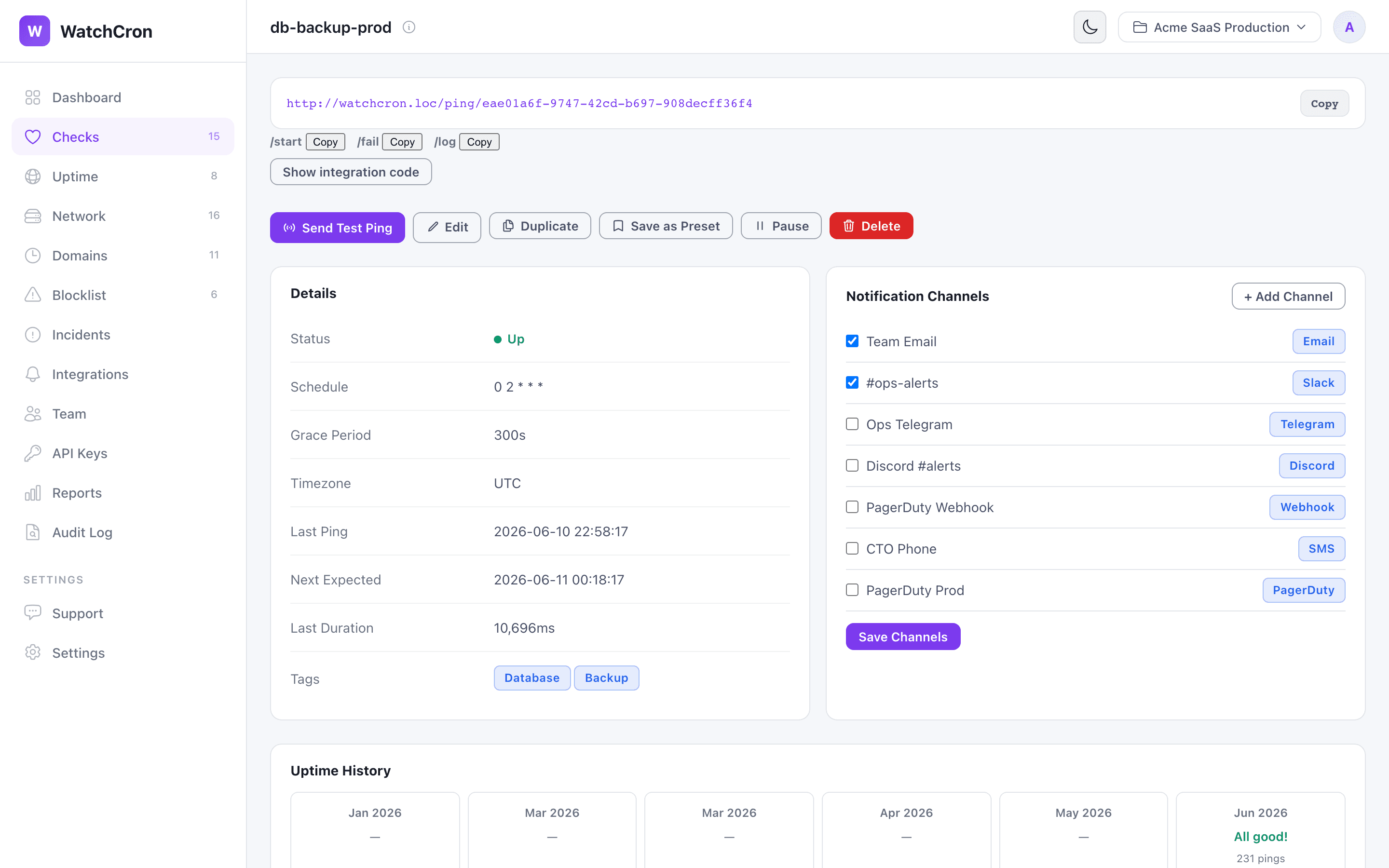
Every check shows its ping URL, assigned notification channels, run duration, and uptime history chart.