
A status page shouldn't be the reason you pick a monitoring tool. But for a lot of teams evaluating Pulsetic, that's exactly . The status page builder is polished enough that the monitoring behind it becomes secondary. WatchCron comes at this from the opposite direction: seven monitor types first, with a status page included because monitoring without communication is only half the job. If you're evaluating a Pulsetic alternative or comparing the two, this page lays out what each tool does well and where each one falls short.
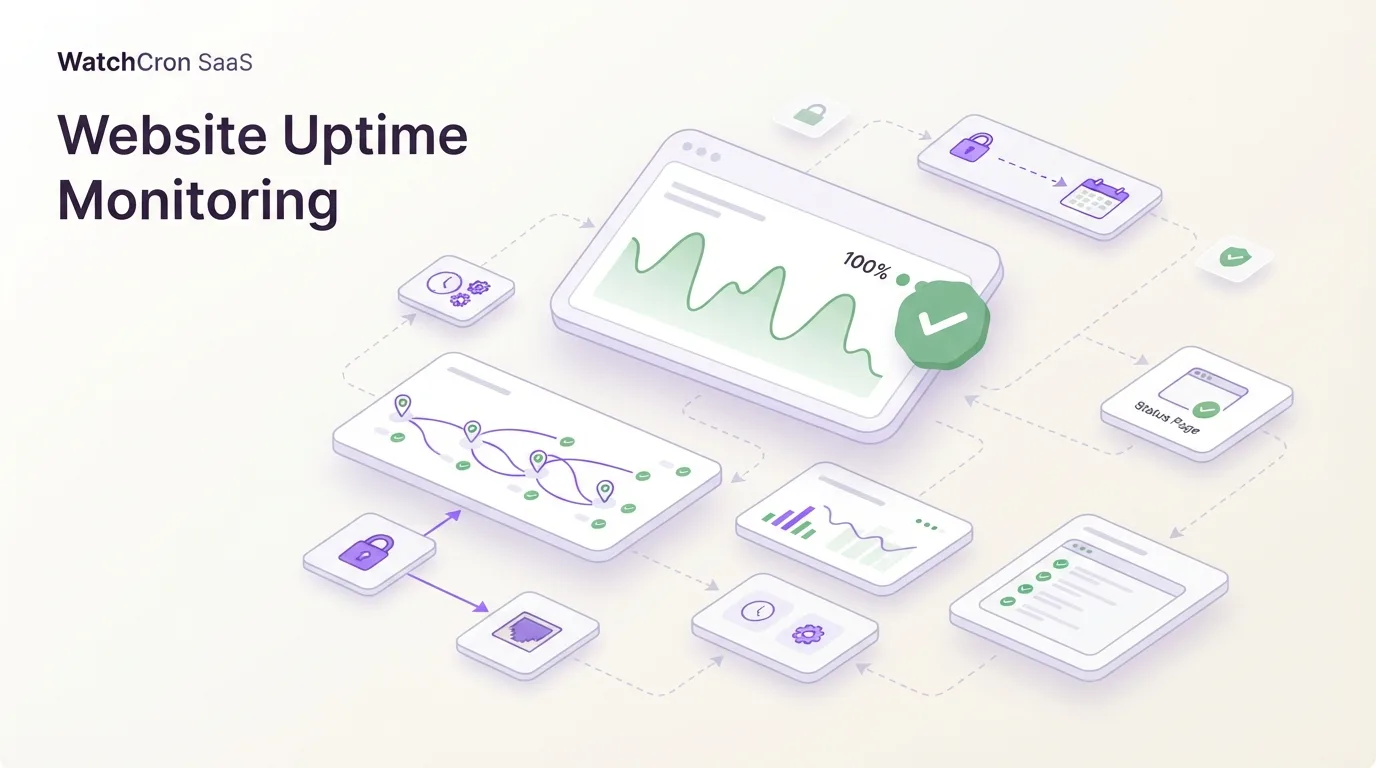
Monitoring types, status pages, and alerts side by side
| Capability | WatchCron | Pulsetic |
|---|---|---|
| HTTP / uptime monitoring | Yes | Yes (API, keyword, SLA monitoring included) |
| Cron / heartbeat monitoring | Yes (all plans incl. free) | Yes (all plans) |
| Port monitoring | Yes (TCP, UDP, DNS, ICMP) | Yes (TCP only) |
| SSL certificate monitoring | Yes | Yes |
| Domain expiration monitoring | Yes (WHOIS-based) | Yes |
| Blocklist / DNSBL monitoring | Yes | No |
| Keyword monitoring | No | Yes |
| Ping (ICMP) monitoring | Yes (via port monitors) | Yes (dedicated) |
| Public status pages | Yes (included) | Yes (extensive customization, translations, password protection) |
| Custom domain for status page | No | Yes (all paid plans) |
| Status page subscribers | Yes | Yes (up to 10,000 on Organization) |
| Status badges | No | Yes |
| Incident management | Yes (standalone workflow) | Yes (tied to status pages) |
| Scheduled maintenance | Yes | Yes (with subscriber notifications) |
| Monitoring locations | Multiple regions | 15 locations |
| Check interval (minimum) | 1 minute | 30 seconds (Team plan+) |
| Notification channels | 10 | 10+ (email, SMS, call, Slack, Discord, Telegram, Teams, Zapier) |
| Voice call alerts | Yes (Business plan) | Yes (via Twilio) |
| SMS alerts | Included from Pro ($19/mo) | Included from Solo ($9/mo) |
| PDF reports | Yes | Yes (PDF + image exports) |
| Free plan | Yes (20 checks) | Yes (10 monitors) |
| Team members | 1 / 3 / 10 / unlimited by plan | 0 / 1 / 5 / 8 by plan (add-on: $8/seat) |
| SSO / 2FA | 2FA | SSO + 2FA (Organization plan) |
| Historical data retention | Included | 3 months – 5 years by plan |
| API | Yes | Yes |
Where Pulsetic is the better choice
Pulsetic's status page builder is its strongest feature, and it's not close. Custom domains, color theming, logo placement, multi-language translations, password protection for internal pages, subscriber notifications up to 10,000 contacts, embeddable status badges. It's a full status page product that happens to have monitoring attached. If your primary goal is a customer-facing status page with your brand on it, Pulsetic gives you more customization options than WatchCron does.
Custom email senders set Pulsetic apart from most monitoring tools. You can route status page notifications through your own SMTP server, or connect Mailgun, SendGrid, Postmark, or AWS SES, so subscriber emails come from your domain, not from pulsetic.com. WatchCron sends alert notifications from our own domain. If brand consistency in email communication matters to your team, Pulsetic handles it.
Keyword monitoring watches for specific content on a page and alerts you if it appears or disappears. This catches issues that HTTP status codes miss . A 200 response with an error message in the body, or a pricing page where someone accidentally deleted a product listing. WatchCron checks whether endpoints respond and whether the status code is correct, but doesn't inspect page content.
30-second check intervals on the Team plan ($19/month) are faster than WatchCron's 1-minute minimum. For services where detecting a 30-second outage matters (payment processing APIs, real-time , that faster interval is a real advantage. Most websites don't need sub-minute checks, but some workloads do.
Pulsetic also offers SSO on the Organization plan, status badges you can embed in documentation or landing pages, and up to 5 years of historical uptime data on the top tier. WatchCron doesn't have SSO, and our status pages don't support custom domains or embeddable badges yet.
Where WatchCron goes beyond uptime and status pages
WatchCron monitors seven types of infrastructure, not just websites. Cron job monitoring, uptime checks, port monitoring (TCP, UDP, DNS, ICMP), SSL certificate expiration, domain expiration, blocklist monitoring, and status pages, all from one dashboard. Pulsetic covers uptime, SSL, domain, cron, port, and ping, but has no blocklist monitoring. If your server's IP lands on a DNSBL and your email starts bouncing, WatchCron catches it; Pulsetic won't.
Port monitoring on WatchCron supports four protocols: TCP, UDP, DNS, and ICMP. You can monitor a DNS server on port 53 with DNS queries, or check a game server's UDP port, or verify ICMP reachability. Their port monitoring . It confirms the port accepts a TCP connection, but doesn't cover UDP services or DNS-level health checks.
Incident management on WatchCron runs independently from status pages. You can create an incident, post timestamped updates through the investigation-to-resolution workflow, and notify subscribers, whether or not you have a public status page. Pulsetic ties its incident workflow to the status page, which works well when your audience is external customers, but doesn't fit as cleanly for internal infrastructure incidents your team needs to track without a public page.
WatchCron's port and domain monitors don't count against your check quota: they're included at no extra cost on every plan, including Free. On Pulsetic, every monitor (uptime, port, cron, domain) counts toward your plan's monitor limit. With 10 monitors on the free plan and 10+ on Solo, a team monitoring a dozen endpoints alongside their cron jobs runs out of monitors quickly.
Uptime reports with PDF and CSV exports are built into WatchCron. Share a report link with a client, or download files for SLA documentation. Pulsetic offers PDF and image report exports as well, but WatchCron's project-based organization — grouping monitors by client or environment, makes reporting cleaner when you manage multiple properties.
Pricing: monitor-based vs. check-based
Both tools charge based on monitor or check count, but the structure differs in important ways.
| WatchCron | Pulsetic | |
|---|---|---|
| Free tier | 20 cron checks, 1 member, email + webhooks | 10 monitors, 0 teammates, email only |
| Entry paid | Starter — $7/mo, 75 checks, 3 members | Solo — $9/mo, 10+ monitors, 1 teammate |
| Mid-tier | Pro — $19/mo, 250 checks, 10 members | Team — $19/mo, 50+ monitors, 5 teammates |
| Upper tier | Business — $49/mo, 1,000 checks, unlimited | Organization — $49/mo, 300+ monitors, 8 teammates |
| Extra monitors | Upgrade plan | $0.20/monitor/month |
| Extra team seats | Upgrade plan | $8/seat/month |
| SMS/Call credits | Included in plan | 30–200 per plan, then $0.10/each |
| Port/domain monitors | Unlimited (don't count) | Count against monitor limit |
| Status pages | Included | 3 free, unlimited on paid plans |
| Check interval | 1 minute | 5 min (free) / 60s (Solo) / 30s (Team+) |
| Data retention | Included | 3 months – 5 years by plan |
At the same $19/month price point, WatchCron's Pro plan includes 250 checks and 10 team members. Pulsetic's Team plan includes 50+ monitors and 5 teammates. If you're running 80 cron jobs and 30 uptime checks, WatchCron fits them all in Pro. On Pulsetic you'd need to buy additional monitors at $0.20 each. Those extra 60 monitors add $12/month to your bill, pushing the effective cost to $31/month.
The add-on model is more granular. Extra team seats at $8/month and additional SMS credits at $0.10 each let you scale specific dimensions without jumping plans. WatchCron bundles everything into the plan tier. Simpler to predict, but less flexible if you need 15 team members and only 50 monitors.
The free tier comparison matters for small projects. WatchCron gives you 20 cron checks with email and webhook alerts, no time limit. Pulsetic's free plan includes 10 monitors of any type with email-only alerts, 5-minute intervals, and 3-month data retention. Both are genuinely usable for side projects. WatchCron's free plan adds webhook alerts and allows more checks; Pulsetic's free plan lets you monitor different types (not just cron) and includes 3 status pages.
Pricing as of June 2026, from Pulsetic's public pricing page.
Status pages: where Pulsetic leads
If status pages are the primary reason you're looking at monitoring tools, Pulsetic is purpose-built for this. Unlimited status pages on every paid plan with custom domain support, visual theming, multi-language translations, password protection for internal pages, and subscriber management up to 10,000 contacts. WatchCron includes status pages as part of the monitoring platform, but Pulsetic treats them as a standalone product in their own right.
The custom email sender feature is unique to Pulsetic in this price range. When you connect your SMTP or a service like SendGrid, subscribers receive status updates , your-company.com, not a third-party address. For B2B SaaS companies where email branding matters during incidents, that's a feature most monitoring tools skip entirely.
WatchCron's status pages cover the fundamentals: service status, uptime history, incident updates, and subscriber notifications. They work well for teams that need a public status page alongside their monitoring setup but don't need deep branding customization or multi-language support.
Switching from Pulsetic to WatchCron
Both tools use URL-based monitors and ping endpoints for cron jobs, so migrating means recreating your checks. No data export needed. If you're considering WatchCron as a Pulsetic alternative, here's how.
- Create a WatchCron account and project. Sign up free: 20 cron checks, no card required.
- Recreate your uptime monitors. Add each URL you're currently monitoring in Pulsetic. Set check intervals and expected status codes. WatchCron's uptime monitoring covers HTTP/HTTPS with response validation.
- Migrate cron monitors. For each heartbeat/cron monitor, create a matching monitor in WatchCron and swap the ping URL in your crontab or scheduler. Both tools use the same ping-on-success model.
- Add monitors Pulsetic doesn't cover. Set up blocklist monitors for your mail-sending IPs, UDP or DNS port checks for services beyond TCP, and any additional SSL or domain expiration monitors you need.
- Configure alert channels. WatchCron supports 10 notification channels including email, Slack, Telegram, Discord, Microsoft Teams, SMS (Pro+), and voice calls (Business). Set up the channels your team uses.
- Set up your status page. Recreate your public status page in WatchCron. Note that custom domains and multi-language translations aren't available — if those are must-haves, you may want to keep Pulsetic's status page and use WatchCron for monitoring only.
What you'll keep: all your monitoring coverage plus blocklist checks, UDP/DNS port monitoring, standalone incident management, project-based organization, and PDF/CSV reports.
What you'll lose: Pulsetic's custom status page domains, multi-language translations, password-protected pages, custom email senders, status badges, keyword monitoring, 30-second intervals, and SSO.
WatchCron vs Pulsetic: which tool fits?
Pick Pulsetic if your status page is customer-facing and brand matters. Custom domains, translated pages, branded email notifications, and subscriber management up to 10,000 contacts make Pulsetic the stronger choice when the status page is a product feature, not an afterthought. Keyword monitoring and 30-second check intervals add capabilities WatchCron doesn't match.
Pick WatchCron if you need monitoring depth beyond uptime checks. Seven monitor types, including blocklist and multi-protocol , with unlimited port and domain monitors on every plan, standalone incident management, and downloadable reports. Cron monitors parse full cron expressions and show a "Next 5 runs" preview. Maintenance windows suppress alerts during planned downtime, and you can acknowledge alerts from email without logging in. Cron monitors parse full cron expressions and show a "Next 5 runs" preview. Maintenance windows suppress alerts during planned downtime, and you can acknowledge alerts from email without logging in. The free tier covers 20 checks with webhooks, and paid plans start at $7/month with more checks per dollar than Pulsetic's structure.
Some teams run both: Pulsetic for the public status page and WatchCron for the monitoring behind it. That works, though it means paying for two tools. If you can live with a simpler status page and want everything in one dashboard, WatchCron handles it. If the status page IS the product, Pulsetic earns its keep.
20 cron checks, uptime monitoring, port and domain monitors. No credit card, no time limit.